
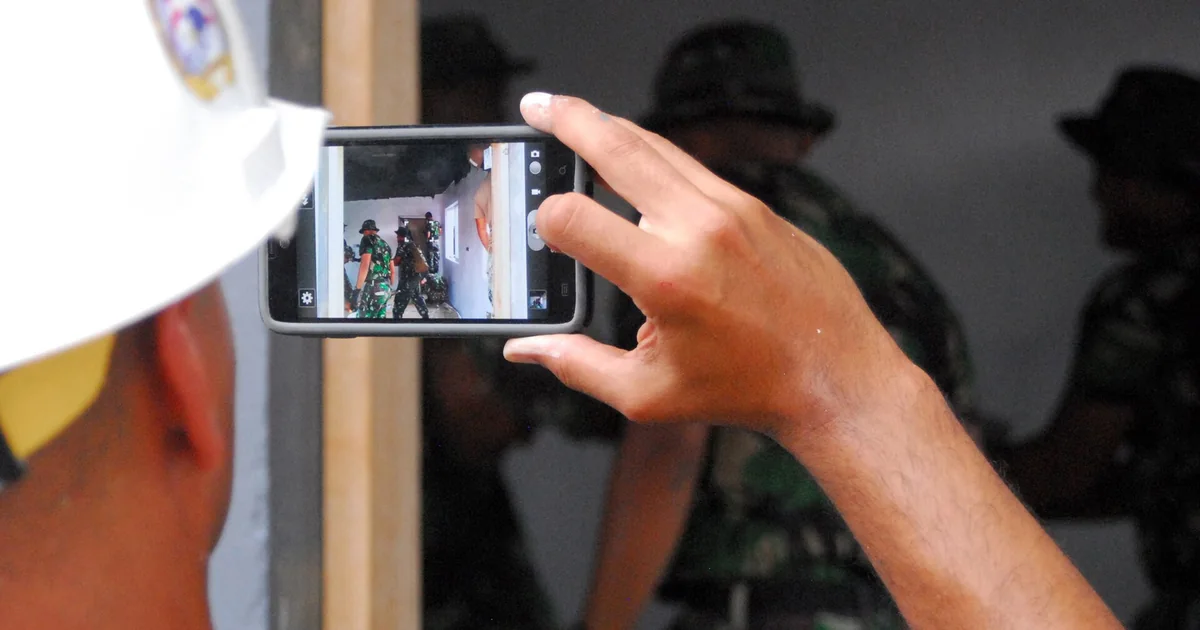
Field paperwork rarely fails because people are not working hard. It fails because the same piece of information gets written down again and again, in different places. A supervisor takes a photo on the phone, types the same update into a WhatsApp group, enters it once more into a daily report, sends a summary to the office, then hunts for that same photo a week later when someone asks for proof, and finally repeats it all in a monthly report. That is not productivity. It is duplication, and duplication is one of the biggest hidden costs in any field workflow.
There is a simpler way, and it fits on a sticky note: capture once, reuse everywhere. Record the information properly the first time, at the source, with enough context to be used later in reports, reviews, approvals and records. It is the idea behind our site-DPR tool, Railway DPR, and the same thinking runs through Trip Manager and Vehicle Manager. The aim is not just to digitise paperwork. It is to stop making people do the same work twice.
Fieldwork doesn't fail from laziness — it fails from duplication
Watch how a single day's update actually travels and the waste becomes obvious. The work happens once, but the recording of it happens five or six times, in five or six formats, none of which talk to each other. Every one of those repetitions is time, and every hand-off is a chance for a date to slip or a photo to go missing. The forms are not the hard part. The hard part is that nobody ever captures the information in a way that the next person can simply reuse.
The real problem: scattered information
Think about where field information lives. Photos sit in a phone gallery, notes in a diary, measurements in someone's head, expenses in a payment app, vehicle details in a register, trip updates in chat, daily progress in a spreadsheet. The official report is then built later from all of it. And that is the trap: by the time the report is written, the work is long over, so the person is no longer reporting from the field, they are reconstructing the field from memory.
By the time the report gets written, you are not recording what happened — you are remembering it. And memory is not a reliable database.
That is where the mistakes creep in. Dates get muddled, photo proof is misplaced, quantities are misremembered, small issues are forgotten, approvals stall, and the report ends up weaker than the work it describes. The problem was never a lack of information. It was poor capture.
What 'capture once' really means
Capturing once does not mean recording less. It means recording the right things, in the right place, at the right time, so the entry is complete enough to serve every later need. When a supervisor logs a daily progress update, that single entry should already carry the project and date, the work category and activity, the quantity or progress, the labour, material and equipment, any issue or delay, the site conditions, the photos, a note and who submitted it. Capture that once and it can feed the daily report, the weekly review, progress tracking, payment verification, dispute handling and client communication. The data does not sit inside one report and die there; it becomes reusable.
Why photo attachments carry the weight
In the field, photos are not decoration, they are proof. An image can show progress, a material delivery, a site condition, a safety concern, a completed task, damage or a delay. But a photo without context is weak, because a loose image in a gallery answers none of the questions that matter: where was it taken, which project, what date, what work, who submitted it, and was it before, during or after the job. Attach the photo directly to the DPR entry and it stops being a stray picture and becomes part of the record. Months later, nobody scrolls through a thousand images; they open the right date and the right activity, and the proof is right there.
One entry, many uses
This is the heart of the principle: a single well-captured entry should fan out into everything that follows it.
Take a real-looking entry. Warehouse flooring, Block B, 22 September: PCC laying, 1,200 sq ft, twelve workers, cement, sand and aggregate, mixer and vibrator on site, work delayed an hour by material unloading, five photos attached, submitted.
| Field | Entry |
|---|---|
| Project | Warehouse flooring |
| Date / location | 22 September 2026 · Block B |
| Activity | PCC laying — 1,200 sq ft |
| Labour | 12 workers |
| Material / equipment | Cement, sand, aggregate · mixer, vibrator |
| Issue | Delayed 1 hour, material unloading |
| Photos | 5 attached |
From that one capture come the daily report, the weekly quantity summary, a labour-productivity check, the material-usage record, a client update with selected photos, the explanation for the delay, and a line in the project history. One capture, many uses. That is the whole point.
Why it works across every tool
This is not a construction-only idea. It applies to almost any field-based workflow, which is why the same principle shows up across our tools.
In Railway DPR, a progress entry with photos serves daily reporting, client updates, billing support and project history. In Trip Manager, an expense with its receipt feeds budgeting, reimbursement, settlement and the final cost review. In Vehicle Manager, a maintenance entry becomes the service history, the input to a cost-per-kilometre figure, and the trigger for the next reminder. Same idea every time: capture the event once, with proper fields and proof, then let the system reuse it. Good tools do not bury you in more screens and forms; they make one good entry useful in many places.
The right fields, and the daily habit
An app is only as good as the fields it asks for. Too few and the record is incomplete; too many and people stop filling it in. The right set turns a quick update into structured, reusable information.
| Field | Why it matters |
|---|---|
| Project & date | Connects the update to the right site and day |
| Location / section | Shows exactly where work happened |
| Activity & quantity | Explains what was done and measures output |
| Labour, material, equipment | Supports productivity and verification |
| Delay or issue | Explains why progress changed |
| Photo attachment | Provides visual proof |
| Submitted by & status | Creates responsibility and review |
The tool only does half the job, though; the habit does the rest. The best field-reporting rule is the simplest one: before leaving the site, submit the day's entry with its photos. Not tomorrow morning, not when the office asks, not at the end of the week. Before you leave. Work happens, progress is recorded, photos are attached, issues are noted, the day is closed. That small discipline, with fresh information rather than next-day memory, is what makes everything downstream accurate.
Why this is what productivity really means
Productivity is not only about doing the work faster. It is about not doing the same work twice. Every time someone re-enters the same information, searches for an old photo, phones the field for a detail that should already be in the report, or waits on a report stalled by scattered data, a little productivity leaks away. The capture-once principle plugs those leaks, so teams spend less time reconstructing work and more time managing it.
Field paperwork should not feel like a punishment at the end of a long day. It should feel like closing the loop: you worked, you captured what happened, you attached the proof, you saved the record, and now that same data quietly supports reporting, review, billing, planning and communication. That is the whole principle, and it is as simple as it is powerful, because the future report is only ever as good as today's field capture. Get the first capture clean, and everything after it gets easier.